






Catchbox at InfoComm 2026: Classroom Audio That Starts With Pick It Up and Talk
Some InfoComm booths are easy to recognize because the product changes the behavior in the room. Catchbox has always had that advantage. A throwable microphone is memorable, visible, and a little disarming in a good way. It asks people to participate.
But the Catchbox story at InfoComm 2026 is bigger than the Cube.
The company is showing the Catchbox Plus system, including the Hub DSP, Clip, Stick, Cube, magnetic charging, range alarm, focused-omni microphone pickup, customization options, Dante connectivity, USB integration, and flexible inputs and outputs for classroom audio systems. The booth also has the Catchbox ShootOut Championship, which is about as on-brand as it gets: make the basket with a Catchbox Cube and win a prize.
The fun is still there. The higher-ed value is in what has been built around it.
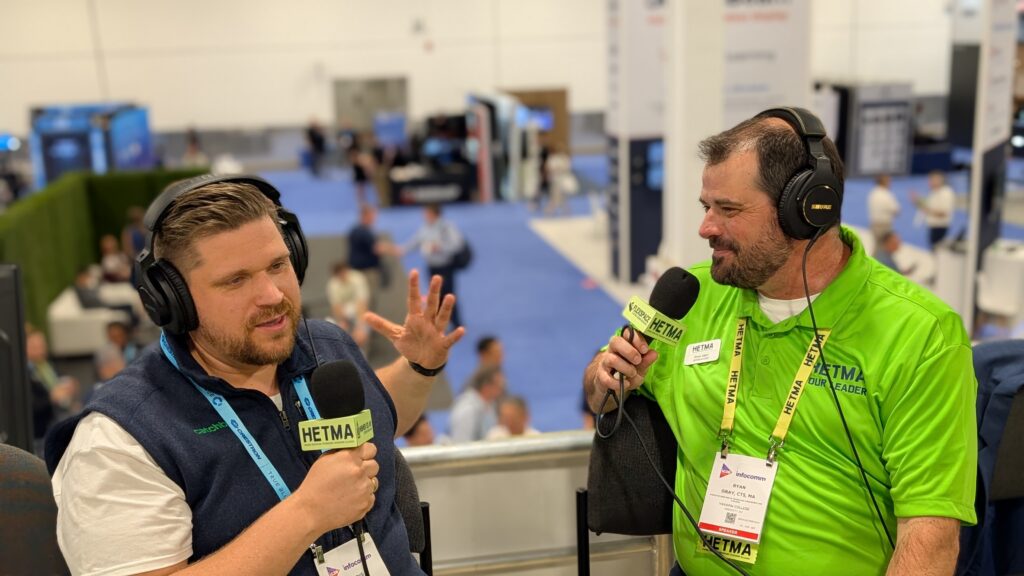
In the interview, Valdis from Catchbox named the company’s known starting point clearly.
“obviously we’re known for the throwable microphones.”
That part is still true. The Cube remains a useful tool for audience voice capture, large-room engagement, Q&A, and moments where participation needs to move around the room quickly. But Catchbox is also making a more practical campus argument this year: classroom microphones should be easy for faculty and students to use, flexible enough for different room types, and complete enough that AV teams are not forced to bolt together unnecessary pieces just to make the room work.
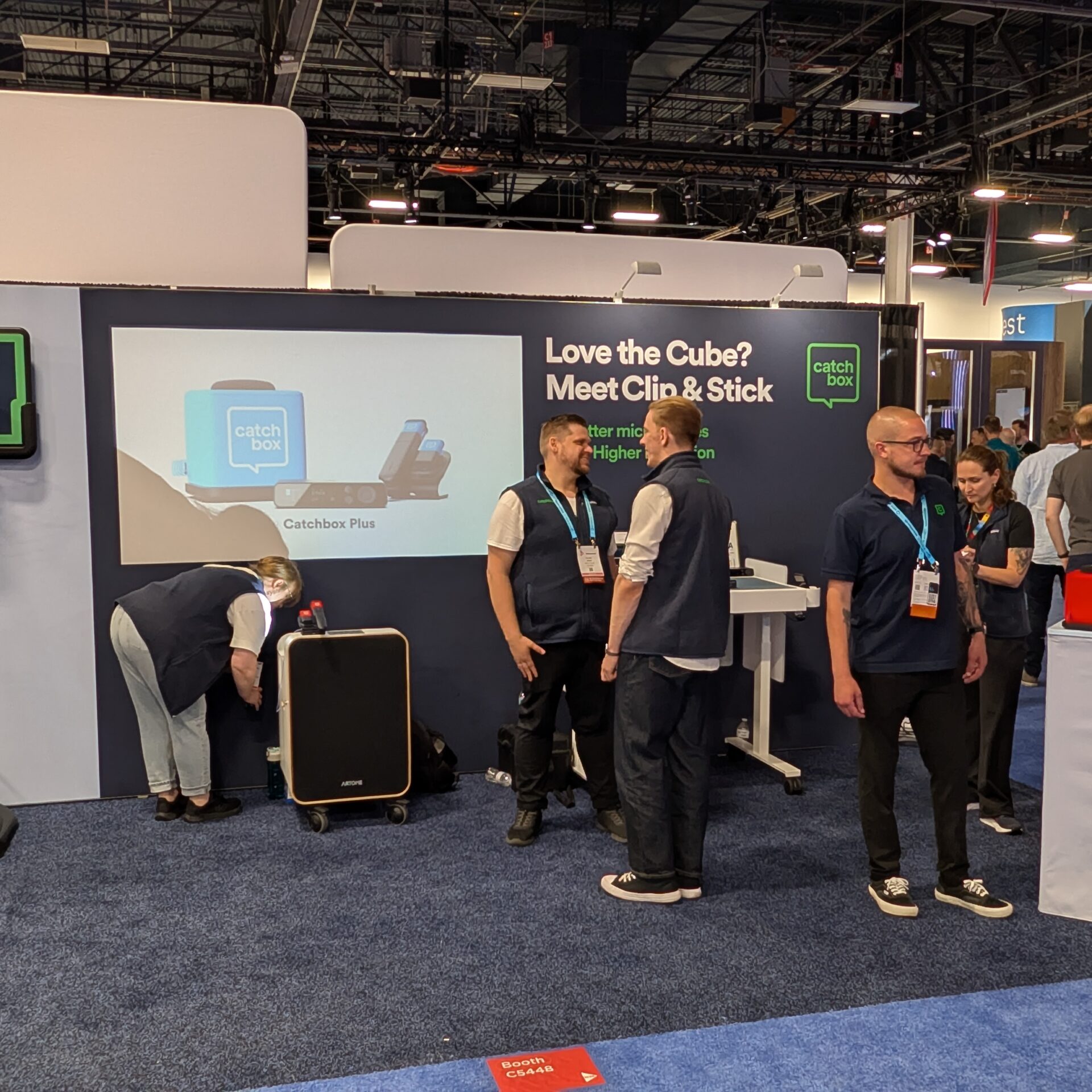
Booth C5448
Catchbox is at Booth C5448, and the booth experience reflects the product personality. There is motion, participation, and a visible reminder that microphones do not always have to feel like fragile broadcast equipment.
But the more important part for higher ed AV/IT teams is the full Catchbox Plus system. The Clip microphone supports hands-free use. The Stick gives presenters a familiar handheld form factor and can transform back into a Clip. The Cube keeps the throwable audience microphone in the system. Each microphone is designed around a focused-omni pickup pattern, so the user does not have to hold it at a perfect angle to get usable audio.
That matters in real classrooms. Faculty are not always thinking about mic technique. Students passing a mic around a room are not going to treat it like a trained presenter would. A system built for learning spaces has to accept that behavior and still capture clear audio.
Valdis pointed to the shift in focus over the last few years.
“we’ve been focusing specifically on the higher education”
That shows in the product direction. Catchbox is still playful, but the system is increasingly built around the support needs of campus AV teams.
The Clip and Stick Are Doing a Lot of the Work
The Cube may be the most recognizable Catchbox product, but Valdis made an important point in the interview: the Clip and Stick microphones are often the main players in higher ed.
The reason is simple. Not every room is built for a throwable mic. Some classrooms are too small. Some teaching formats do not need it. Some faculty need hands-free audio. Some events need a handheld option. Some spaces need a simple presenter mic that works without training. The Clip and Stick bring Catchbox into more ordinary teaching situations.
That ordinary use is where classroom technology proves itself. A microphone that only works in a special event is useful. A microphone that works across lectures, discussions, guest speakers, group work, small rooms, large rooms, flexible spaces, and hybrid sessions is easier to justify as part of a campus standard.
The Stick transforming back into a Clip is also a practical detail. It gives teams two user experiences without creating two completely separate microphone ecosystems. A presenter can hold it. A professor can wear it. A room can support both without asking AV staff to manage a pile of unrelated devices.
Hub DSP Changes the Room Conversation
The Hub DSP is the main product story for Catchbox at InfoComm 2026. Catchbox launched it previously, but the company is using the show to make sure more people understand what it does. The idea is to move the Hub beyond a wireless receiver and into the role of a compact classroom audio processing system.
The Hub DSP includes a twelve-channel automixer, built-in 4×4 Dante connectivity, USB integration for platforms such as Microsoft Teams, feedback suppression, and flexible inputs and outputs for third-party ceiling microphones or external speakers. Catchbox describes it as a way to replace multiple separate hardware devices in the room.
For higher ed, that is the useful part. Classrooms often become complicated one piece at a time. A wireless receiver here. A DSP there. A USB bridge somewhere else. A Dante device added later. A different audio path for the conferencing platform. Each added box may solve a problem, but it also adds support surface.
The Hub DSP is aimed at reducing that pileup.
Valdis described the room flexibility behind that decision.
“Not every room, not every situation, not every university, not every college is the same.”
That is a good higher-ed sentence. Campus standards matter, but room realities vary. Some rooms need Dante. Some need analog. Some need USB. Some need third-party ceiling microphones. Some need external speakers. Some just need a small, simple system that captures the instructor and supports the session without turning the room into a project.
Catchbox’s argument is that the same system can serve those different room needs while keeping the user experience familiar.
The User Should Not Have to Care About the Backend
One of the strongest points in the interview was the distinction between what AV teams need and what users should have to think about.
Valdis said that for the professor, speaker, or students, the backend connection choices should not matter. For AV people, they matter a lot. That is exactly the room design tension in higher ed.
The user wants to pick up the mic, clip it on, or speak into it. The AV team needs Dante, USB, automixing, feedback control, room routing, charging behavior, range limits, support visibility, and a system that does not generate constant calls.
Catchbox is trying to keep those two worlds separate in the right way: simple at the point of use, flexible behind the scenes.
Valdis put the design goal in a phrase campus teams will recognize.
“make it as simple and seamless as possible.”
That is not a small thing. In classrooms, simple is not a lack of sophistication. Simple is the result of design decisions that keep faculty and students focused on the class instead of the tool.
Professor Proof, Without Talking Down to the Room
Catchbox has a phrase for that user experience.
“we have a saying, professor proof.”
It works because the product is intentionally obvious. The Cube is meant to be thrown. The Clip is meant to clip. The Stick is a mic on a stick. The charging dock is magnetic. The range alarm helps stop microphones from walking out of the room. The branding and color options make the microphones visible, recognizable, and harder to mistake for generic gear.
Valdis followed the phrase with the actual principle.
“the more simple, the better”
That is a higher-ed AV truth. The more buttons a microphone has, the more chances there are for confusion. The more hidden steps there are, the more likely a support ticket appears five minutes before class. A classroom microphone should not depend on the user understanding the audio system. It should tell the user what to do by its form factor.
That is part of why Catchbox has built such a specific place in higher ed. The product is memorable, but it is also legible. People understand how to use it quickly.
Engagement Still Matters
It would be easy to make this only about supportability, but Catchbox also keeps returning to engagement. The Cube changes the energy of a Q&A. Passing a microphone can change who speaks. A visible, branded mic can make participation feel less formal. In large rooms, audience voice capture can stop being an awkward pause while someone waits for a handheld mic to travel down the aisle.
Valdis described the balance this way.
“Just have it work at the end of the day.”
That is the line that connects the fun side to the operational side. Participation is only useful if the technology works. Engagement only helps if the audio is captured. A clever form factor only matters if it survives the semester.
Catchbox’s booth is built around that balance: make the microphone approachable for users, useful for engagement, and complete enough for AV teams to deploy across real campus rooms.
The Higher Ed Takeaway
Catchbox at InfoComm 2026 is not just about the throwable Cube, even though the Cube is still part of the story. The more complete higher-ed conversation is about classroom audio that supports participation without making the room harder to manage.
At Booth C5448, Catchbox is showing the Catchbox Plus system with Hub DSP, Clip, Stick, Cube, magnetic charging, range alarm, customization, Dante, USB, automixing, feedback suppression, and flexible room connectivity. For campus AV/IT teams, the value is in a microphone system that can be simple for faculty and students while giving the backend enough flexibility for different room types and support models.
The design target is clear: pick it up, clip it on, pass it around, charge it, and keep the class moving.
Make sure to check out Catchbox at Booth C5448 at InfoComm 2026, or visit catchbox.comcatchbox.com to learn more.