

If I had a dollar for every HETMA call I have been on and heard the network engineer’s excuse, “We will just throw more bandwidth at it,” I would have more money than Elon. For a long time, I believed that too because I didn’t know any better. Whenever video started freezing or the audio became choppy, my first instinct was to assume the network was at capacity. I channeled my inner Tim the Tool Man and was all for bigger uplinks, faster switches, and more bandwidth (insert the grunt here). It all seemed like the logical solution because that’s how I had always approached AV. If I needed more inputs, I bought a larger switcher. If I needed more outputs, I expanded the system. It seemed reasonable to assume networks worked the same way.
The more time I’ve spent working with enterprise networks, though, the more I’ve realized that bandwidth and performance aren’t always the same thing. I’ve seen networks with plenty of available bandwidth still struggle to deliver flawless audio and video. On paper, nothing appeared to be wrong. The switches weren’t overloaded, and yet faculty were still describing occasional video freezes or audio glitches. The more I dug into those situations, the more I realized I had been asking the wrong question. Instead of asking how much bandwidth the network had, I should have been asking what happens when multiple devices all need that bandwidth at the same exact time.
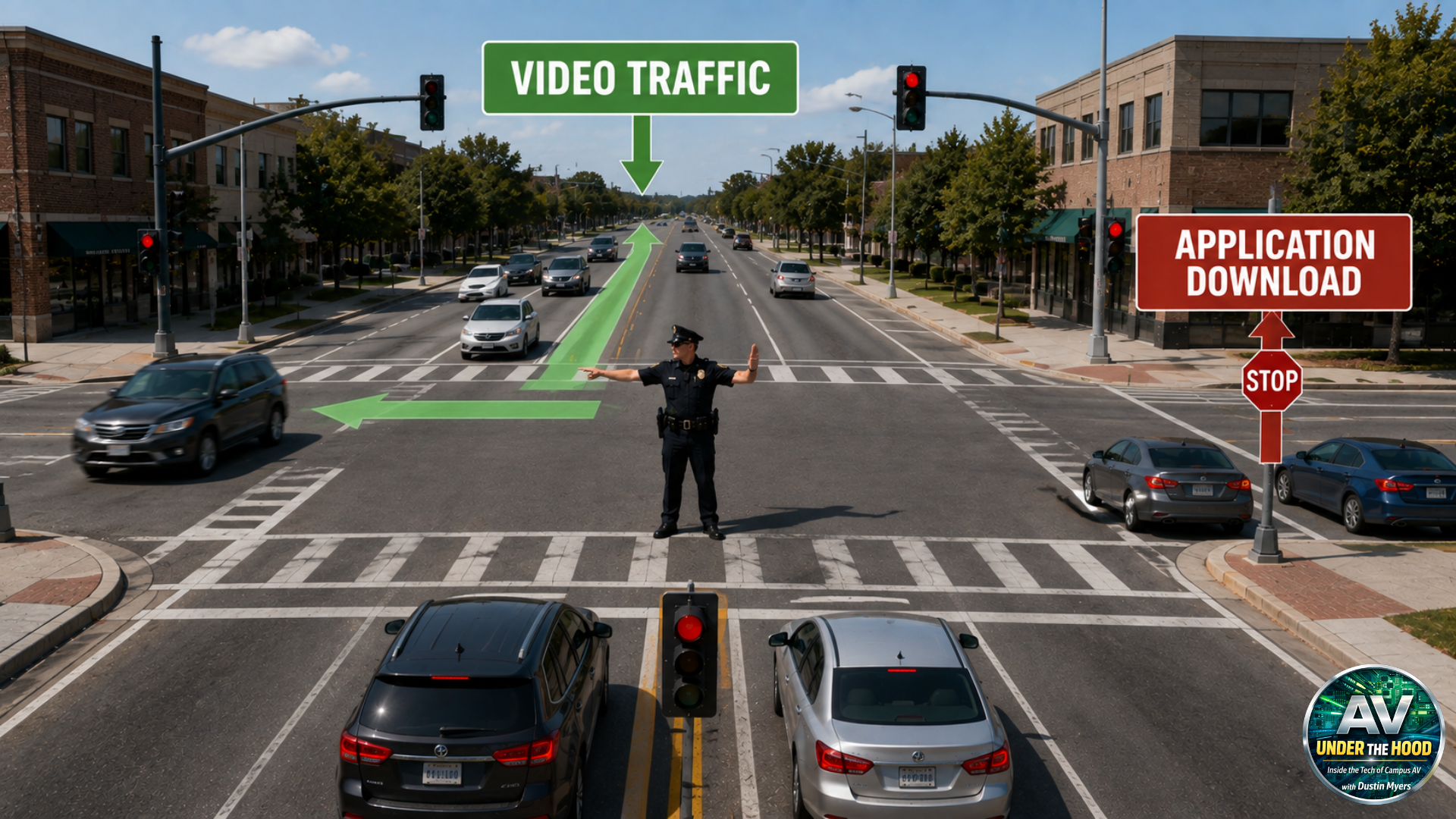
That’s really the problem QoS is trying to solve. When everything is talking at once, the network needs a way to decide who gets to go first, especially when the traffic being carried isn’t equally sensitive to delay. QoS always seemed like one of those networking settings that manufacturers told you to enable without ever really explaining what it was actually doing. The more I learned, the more I realized that packets already travel through copper and fiber incredibly fast. QoS doesn’t make the physical network faster. What changes is what happens during those moments when packets have to wait.
Every network switch has buffers that temporarily hold packets before they are transmitted out of an interface. Under normal conditions, those queues are nearly invisible because packets arrive and leave so quickly that the delay is measured in microseconds. The switch receives a packet, forwards it, and moves on to the next one. Most of the time, that’s exactly what we want.
The Network Isn’t Out of Bandwidth
The problem is that a campus network rarely operates in a vacuum. At any given moment, there may be hundreds or thousands of devices communicating across the network. Students are uploading assignments, faculty are joining Teams meetings, VoIP phones are everywhere, security cameras are sending video, printers, well, they are being printers, and somewhere in the middle of all of that, an encoder is trying to send video to that brand-new dvLED wall the provost is using.
Eventually, there are going to be moments when more traffic arrives at an interface than that interface can immediately transmit. The switch can’t magically send everything at the same time, so the packets have to wait in a queue. If that queue grows large enough, packets can eventually be dropped because of that congestion.
It’s an important distinction because congestion doesn’t necessarily mean the network has run out of bandwidth. You could have a 10-gigabit connection sitting between two buildings and still experience a moment where traffic converges on a particular 1-gigabit interface. The network as a whole may have plenty of capacity, but that interface has become a bottleneck.
Not All Packets Are Created Equal
That’s where the question in the title comes in: who gets to go first? If all the traffic is treated the same, the switch has no reason to prioritize one type of packet over another. A packet containing part of a live microphone stream can end up waiting behind packets from a file transfer or another application. For many types of network traffic, that’s perfectly acceptable. If a file takes a few extra seconds to transfer, nobody sitting in a classroom is going to notice.
A packet carrying a small piece of a live audio or video stream has a very limited window in which it is useful. If it arrives a little late, the decoder may already have moved on to the next piece of the stream. There isn’t much value in stopping everything to wait for it. This is one of the reasons real-time AV technologies commonly rely on UDP. As I discussed in the previous articles in this series, the goal isn’t necessarily perfect delivery of every packet. The goal is to maintain a continuous experience.
QoS gives the network a way to recognize that difference. Instead of treating every packet as though it has identical requirements, QoS allows traffic to be classified and placed into different queues based on its needs. Real-time audio, video, voice, and clocking traffic can receive preferential treatment over applications that are much more tolerant of delay. The network isn’t necessarily saying that AV is more important than everything else (even though we all know it is). It’s recognizing that some traffic simply cannot tolerate waiting as well as other traffic can.
This is where things like DSCP and Class of Service start to become important. I remember hearing those terms long before I really understood what they were doing. DSCP, or Differentiated Services Code Point, is essentially a marking within the IP packet that allows network devices to identify how that traffic should be treated. At Layer 2, Ethernet frames can also carry Class of Service markings within an 802.1Q VLAN tag. These markings give switches information they can use when deciding which traffic should receive priority when congestion occurs.
The important part is that marking a packet doesn’t automatically make the network prioritize it. The switches still have to be configured to recognize and trust those markings, and the QoS policies have to be consistent throughout the path the traffic is taking. That’s something I think is easy to overlook when you’re working on the AV side. We can look at a manufacturer’s white paper and see that it recommends certain DSCP values, but that doesn’t mean simply putting those values into the equipment solves the problem. If the network isn’t configured to trust them, preserve them, and act on them, the markings don’t accomplish much.
I’ve also learned that you can actually make things worse if QoS is approached without a plan. If every device and application gets marked as high priority, then nothing is really high priority. The whole purpose of QoS is to differentiate traffic based on its requirements. If everything gets moved into the fast lane, eventually the fast lane is just another traffic jam.
This is where I think AV professionals have an opportunity to become much better partners with our network teams. Instead of simply telling the network team that “the manufacturer requires QoS,” we should understand what we’re asking for and why. We should be able to explain what traffic the system generates, how sensitive that traffic is to latency and jitter, what DSCP markings the manufacturer recommends, and what happens when those packets are delayed or dropped. That conversation is much more productive than simply asking your network engineer to turn on a setting.