
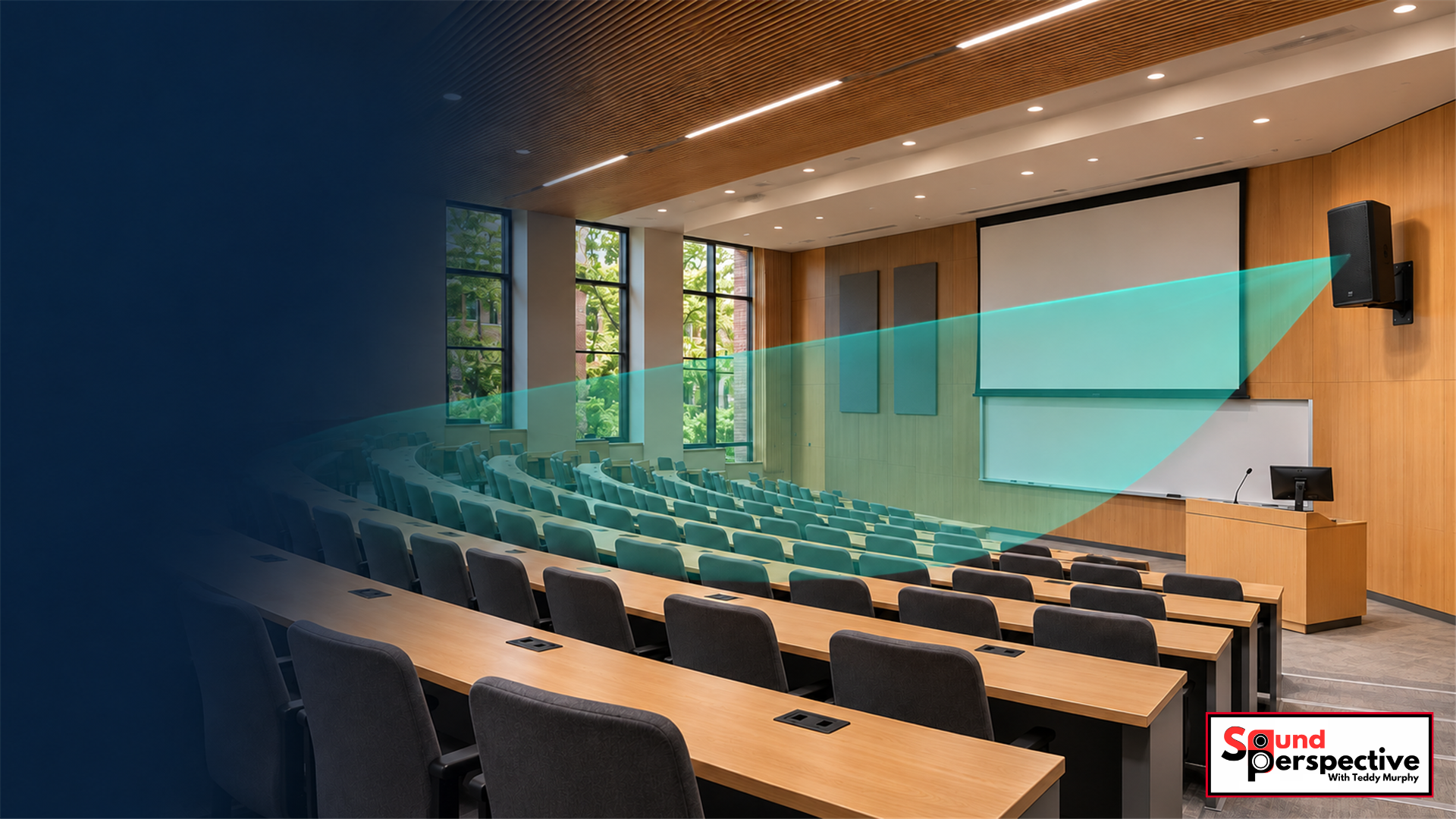


Most of the audio complaints I get are not really about volume, even when volume is the word people use. The call usually goes something like this: The front row says the room is too loud. The back row says they cannot hear. The dean wants to know which one is right. The annoying answer is that both of them are, and the fix is almost never the volume knob.
What they are describing is a coverage problem. The loudspeakers are getting plenty of sound into the room. They are just not getting it to the right people evenly. I have two large lecture halls, designed before my time, with a lot of under-balcony seating and no fill boxes.
What 90° × 60° Actually Means
When a spec sheet lists a loudspeaker as 90° × 60°, the first number is the horizontal coverage and the second is the vertical. So that box spreads sound fairly wide side to side and a bit narrower up and down. Many horns can be rotated, which is handy when a box gets mounted sideways or the room is wider than it is deep.
The part people miss is where that edge actually is. Coverage angle is usually measured to the point where the level has dropped 6 dB compared to straight on-axis. That means the edge of the coverage pattern is not where the sound stops. It is where the sound is noticeably quieter. Someone sitting right on that line is still hearing the loudspeaker, just not as well as the person sitting in front of it.
It is also worth knowing that the number on the sheet is usually an average over a certain range of frequencies, often somewhere in the vocal range. Down low, most loudspeakers get a lot wider because the box is not big enough to control those longer wavelengths. Up high, some get narrower. A 90° box is not 90° at every frequency, and manufacturers do not all measure it the same way. If two loudspeakers say the same thing on the front page, I still go look at the polar data before I believe they behave the same.
Horizontal and vertical coverage also tend to cause different problems. Horizontal coverage decides whether the people on the sides of the room are in the pattern at all. Vertical coverage is where you get into trouble with distance, because it decides how much of the room, front to back, a single loudspeaker is trying to reach. Too narrow vertically and the front rows fall out underneath it. Too wide and you are pouring sound onto the ceiling and the back wall.
Cover the People, Not the Room
I see loudspeakers selected all the time based on the size of the room. Big room, big box. Long room, more boxes. That is not a terrible starting point, but it skips the real question: where are the people?
The audience area is what matters. Not the floor, not the walls, not the empty space above the projector. And the audience area is not even at floor level. It is at ear height, which is roughly four feet for a seated audience and closer to five and a half feet for people standing. When you draw the coverage footprint on a floor plan, you are really drawing it on an imaginary plane floating at ear level.
Mounting height and aiming change that footprint more than people expect. Hang a loudspeaker higher and its pattern lands farther out, which can actually help even things out because the front row is no longer right on top of it. Point it straight out at a wall and half the vertical coverage is spent on the ceiling and back wall instead of on anyone sitting down. A few degrees of tilt can be the difference between a room that works and one that does not.
One trick I learned on the road and still use in classrooms is aiming the loudspeaker so its on-axis line hits the back of the audience area, not the middle of the room. The back row gets the loudspeaker at full strength. The front row sits off-axis, so they get a little less, but they are also much closer, so it evens out. You are using the coverage pattern to fight distance instead of letting distance win.
Why Turning It Up Does Not Fix It
Here is where the volume knob falls apart. Sound from a single loudspeaker drops about 6 dB every time you double your distance from it, at least in a simple, open space. Say the front row is eight feet from the loudspeaker and the back row is thirty-two feet away. That is two doublings, which means the back row is hearing that loudspeaker roughly 12 dB quieter than the front row.
Now turn it up 6 dB because the back row complained. The back row is better, but still 12 dB behind. The front row just got 6 dB louder than it already was, and it was already the loudest seat in the house. Nothing about the difference between them changed. You just moved the whole problem up the meter.
That is why the front row starts leaning back in their chairs while the back row is still asking the instructor to repeat the question. The fix is getting sound to the back of the room without blasting the front, whether that is better aiming, a different pattern, another loudspeaker, or a delayed fill. More level is rarely it.
Two Loudspeakers, One Problem
The natural response to uneven coverage is to add another loudspeaker. Sometimes that is exactly right. Sometimes it creates a brand-new problem.
When two loudspeakers playing the same signal overlap, listeners in that overlap hear both of them, slightly out of time with each other because one is a little farther away. Some frequencies line up and get louder. Others arrive out of phase and cancel. The result is called comb filtering, and it sounds hollow, phasey, and a little like someone is talking through a tube.
The numbers get small fast. A path difference of about a foot is roughly one millisecond of delay, and that is enough to put the first cancellation right around 500 Hz, with more notches stacking up above it. Move your head a few inches and the notches move too. That is why a room with too much overlap can sound fine in one seat and strange in the next one over.
The worst of it happens where two loudspeakers are about the same level. If one is clearly dominant in a given seat, the other one does a lot less damage. So the goal is not zero overlap. It is controlled overlap, where each loudspeaker owns its own area and hands off to the next one without a long stretch where they are fighting. Delaying fill loudspeakers to line up with the mains helps a lot too, and it has the nice side effect of keeping the sound anchored to the person talking at the front of the room.
Ceiling Speakers Are a Spacing Problem
Ceiling loudspeakers deserve their own section, because this is where I see the most rooms go wrong in higher ed. A ceiling loudspeaker throws a cone of sound straight down. The footprint you care about is a circle at ear height, and its size depends on the distance from the ceiling to the listener’s ears and the coverage angle of the loudspeaker. Take a nine-foot ceiling and a seated audience at about four feet. That is five feet of throw. With a 90° loudspeaker, you get a circle about ten feet across at ear height.
Put that same loudspeaker in a twelve-foot ceiling and the circle grows to about sixteen feet across. That is why low-ceiling rooms always need more loudspeakers than people budget for. The room did not get bigger. The circles got smaller.
Spacing is where the consistency comes from. If you space ceiling loudspeakers so the edges of their circles just touch, you get gaps between them where the level dips, and those dips are very noticeable in a room full of people trying to follow speech. Tighter spacing, where each loudspeaker’s coverage reaches roughly to the center of its neighbor, costs more loudspeakers but gives you a much more even room. For speech in a classroom, I will take even over cheap every time.
Ceiling height is also not always the ceiling height on the drawings. I have learned to double-check what is actually up there before I trust a layout.
Directivity Is Doing More Work Than You Think
Directivity is just a word for how well a loudspeaker keeps its sound going where you pointed it. A loudspeaker with good directivity puts most of its energy on the audience. One with poor directivity sprays it everywhere: walls, ceiling, glass, the back of the projection screen.
In a dry, well-treated room, you can get away with a lot. Most of our rooms are not that. They are drywall, glass, hard floors, and whatever the architect thought looked nice. In those spaces, every bit of sound that misses the audience hits a hard surface, bounces around, and comes back late as reverberation. The more of that reflected sound people hear compared to the direct sound from the loudspeaker, the harder speech is to understand.
So directivity is really an intelligibility tool. Keeping sound on the audience and off the walls improves the ratio of direct sound to reflected sound, and that does more for comprehension than any amount of EQ after the fact.
It helps with feedback too. A loudspeaker that is not throwing sound back toward the presenter area is not feeding as much energy into the microphones. That usually means more gain before feedback without having to carve up the system with filters.
The catch is that directivity costs size. Controlling lower frequencies takes a bigger horn or a bigger array, and that does not always fit in a classroom ceiling or past an architect. Like most things in this job, it is a trade-off. But it is one worth understanding before you pick the cheapest box that technically fits the room.
Let the Software Help, Then Go Listen
I am a big fan of prediction software. Tools like EASE Focus, which is free, and the modeling tools many manufacturers provide let you drop loudspeakers into a model of the room and see the coverage before anything gets ordered. You can try different heights, angles, and models in minutes. On the road, I leaned on the manufacturers’ array calculators all the time. In higher ed, I use modeling to settle arguments before they start.
But the model only knows what you tell it. If the ceiling height is wrong, the seating layout changed, or nobody mentioned the glass wall on the north side, the colorful map on the screen will still look great. It just will not match the room.
That is why I think the principles matter even if you never open the software. If you understand that coverage is measured to a -6 dB edge, that distance costs level, that overlap causes comb filtering, and that ceiling height decides how many speakers you need, you can look at a plan and know something is off before you ever run a prediction. The software confirms what you already suspect. It should not be the only thing doing the thinking.
And once the room is installed, walk it. Sit in the front row. Sit in the back corner. Sit right between two ceiling speakers. Play speech, not just music, and listen to whether it sounds like the same room everywhere. Pink noise on a meter will tell you a lot. The seat in the back corner will tell you the rest.
When somebody calls next semester to say the room is too loud and too quiet at the same time, at least now you will know they are probably right, and you will know where to start looking.