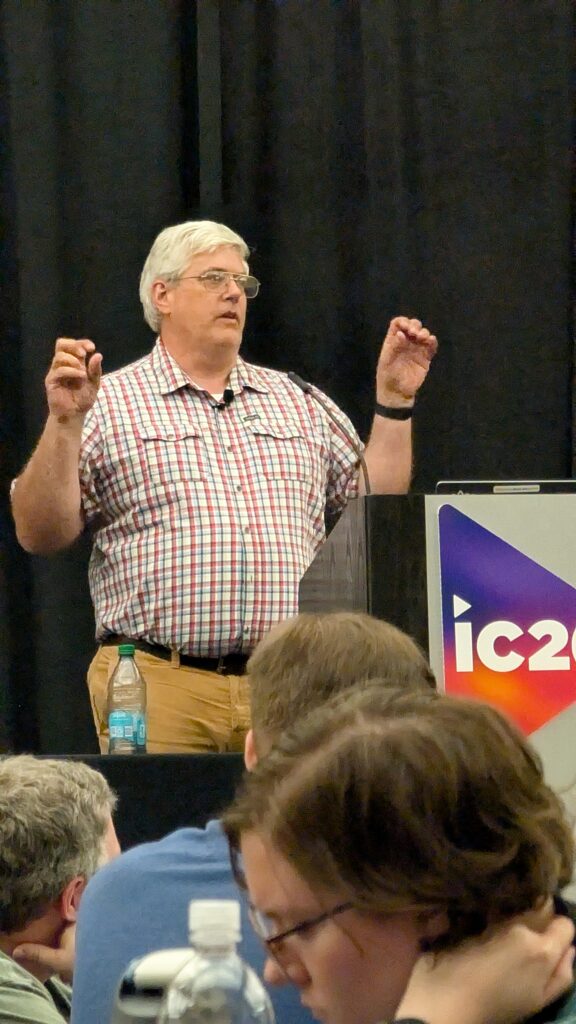

The University at Buffalo (UB), located in Buffalo and Amherst, New York, is the largest institution in the State University of New York (SUNY) system and one of SUNY’s two flagship universities. With more than 30,000 students spread across three campuses, UB is a major public research institution known for its strengths in fields ranging from engineering and medicine to business, law, and the social sciences.
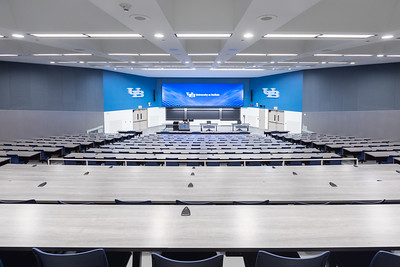
Supporting a campus of that scale requires a thoughtful approach to technology. UB’s learning environments team is responsible for more than 200 classrooms and learning spaces, while also providing Tier 3 support for many departmental locations. In this Campus Spotlight, John Pfeffer shares how the team approaches classroom technology standards, AV-over-IP, lecture capture, accessibility, monitoring, and long-term technology planning across one of higher education’s largest and most complex technology environments.
Intro & Context
What groups or organizations are you and/or your team a part of (i.e. ETC, MCUAV, etc.)?
We are an AVIXA Elite member, and our team is involved with ETC, EdTOA (Educational Technology Officers Association of the SUNY system), and HETMA.
How many classrooms and learning spaces are under your team’s responsibility?
We support more than 200 classrooms and learning spaces and provide Tier 3 support for many departmental spaces.
Do you also handle event spaces, sports venues, and conference rooms, or is that a separate department?
We handle conference rooms and occasionally advise on event spaces, sports venues, and other technology-enabled spaces.
Can you tell me about your role and your team’s scope within the university?
My role is to help determine classroom technology standards as we build new spaces and update existing ones. Our team is responsible for the support, design, engineering, and installation of all centrally scheduled technology classrooms, as well as conference rooms and specialty spaces as needed.
Is support for user devices (laptops, tablets, etc.) part of your team’s responsibilities or handled elsewhere?
We support classroom connectivity, but another group within our department handles imaging and end-user device support.
Classroom Technology Overview
What does a “typical” classroom look like at your institution in terms of AV technology?
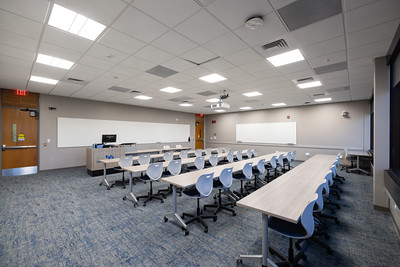
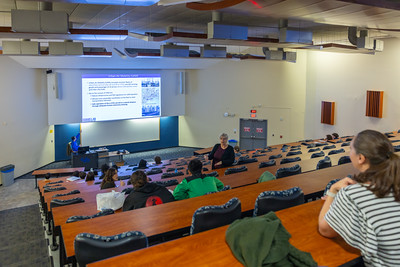
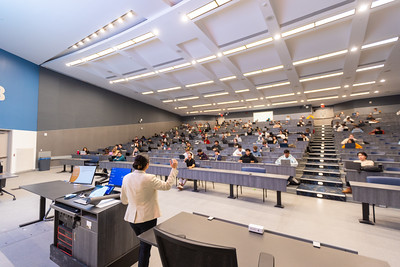
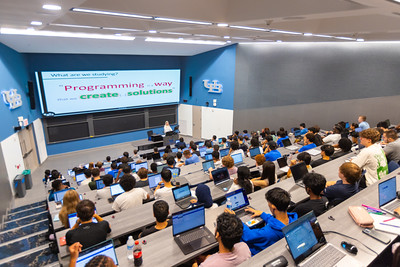
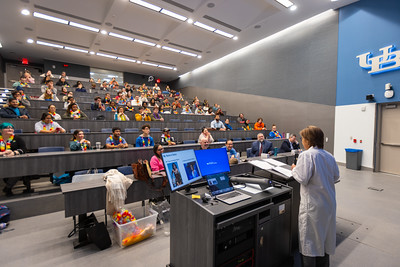
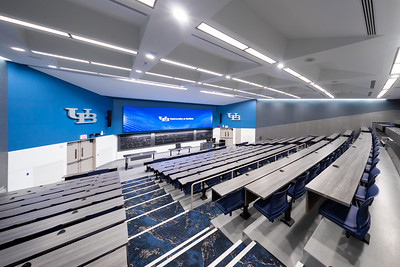
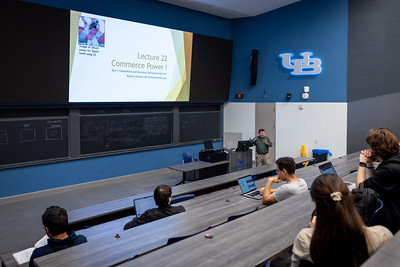
A typical classroom includes a PC, display device, document camera, BYOD connectivity, wireless screen sharing, audio system, standard teaching station, camera, capture microphone, and course capture capabilities.
Are your classrooms standardized, or do you have multiple tiers of setups (e.g., basic vs. advanced)?
Our classrooms are standardized, with additional technology added as needed, including extra microphones, larger displays, and active learning components.
Do you allow environmental controls (lighting, shades, HVAC) through the classroom tech interface?
In some rooms we do, but we are trying to move away from requiring the classroom interface to control those systems.
Do you use single or multiple monitors at the lectern?
We are moving toward multiple monitors at the lectern.
Connectivity & User Experience
What’s your approach to device connectivity at the lectern?
We support HDMI, USB-C, and wireless presentation options.
Do you support BYOD, built-in computers, or both?
We support both BYOD and built-in classroom computers.
How do you incorporate faculty and staff input into classroom technology standards?
We gather feedback through annual surveys and other conversations with faculty and students.
How do you handle accessibility features (captioning, assistive listening, etc.)?
Accessibility features, including captioning and assistive listening, are part of our standard installation for learning spaces.
AV-over-IP & Network Integration
Is your AV network fully converged, partially, or isolated?
We are partially converged today and continuing to move toward a fully converged environment.
What AV signals are you sending over IP (audio, video, control)?
We send audio, video, and control signals over IP.
Do you divide AV traffic into VLANs? If so, what access does your team have to VLAN configurations?
Yes, we divide AV traffic into VLANs, although we do not have direct access to the VLAN configurations.
Which protocols are most common in your environment (Dante, NDI, SDI, HDBaseT, etc.)?
We have a mix of Dante and AVoIP technologies in our environment. We also have some Crestron HDBaseT deployments, but we are continuing to move toward NVX.
Brands & Ecosystem
Which brands do you rely on?
We primarily rely on Crestron, Biamp, Extron, Sony, and Epiphan.
How committed are you to those ecosystems?
We are fairly committed to those platforms for consistency and a better user experience.
What drives your decision-making—features, cost, support, or long-term strategy?
Long-term strategy, supportability, and staff expertise drive our decision-making.
Lecture Capture & Recording
What lecture capture solution(s) do you use?
We use Epiphan for lecture capture and Panopto for content management and delivery.
How widespread is lecture capture across your campus?
Lecture capture is standard in all rooms.
Is it automated, scheduled, or instructor-controlled?
Most lecture capture is scheduled, with an eye toward automation and instructor-controlled options.
Monitoring & Data
What monitoring platforms do you use for AV systems?
We utilize manufacturer-provided monitoring tools like XiO Cloud, Dante Controller, Epiphan Cloud, and Panopto.
Do you collect data from ticketing systems, monitoring tools, or end-user surveys?
Yes, we collect data from ticketing systems, monitoring tools, and end-user surveys.
How do you use that data to improve service?
We review trends and identify recurring issues to help improve service and support.
Do you track classroom technology usage analytics?
Yes, although our analytics processes are still evolving.
Support Structure
How is your AV support team organized?
We are a centralized team that supports all centrally scheduled spaces. Some schools maintain their own AV teams for departmental spaces, while others rely on central support.
Do you have tiered support levels (e.g., Level 1, Level 2)?
Yes, we have tiered support within our team and across other departments.
What ticketing system do you use?
We use TeamDynamix (TDX).
How do users request help during class?
Phones in the classroom are the primary method for requesting assistance during class.
How many full-time staff (FTE) do you have versus student workers?
Our team includes 12 full-time staff members and 10 student workers.
Hardware Details
What display technology dominates your classrooms—projectors, flat panels, dvLED?
Projectors remain the dominant display technology in our classrooms.
Are you moving toward dvLED or sticking with projection for large spaces?
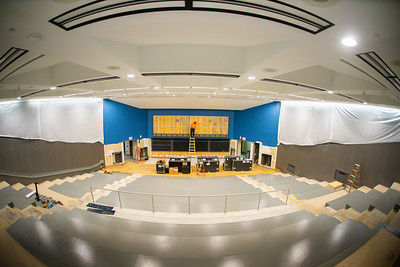
We are moving toward dvLED technology where appropriate.
Do you still deploy Blu-ray/DVD players or other legacy media?
We do not deploy dedicated Blu-ray or DVD players except where playback is available through a classroom PC.
What do you use for slide advancing—hardware clickers, software tools?
Slide advancement is typically handled through instructor devices and platforms such as Top Hat.
Conference Rooms & Special Spaces
What does a typical conference room look like at your institution?
A typical conference room is a smaller version of a classroom deployment.
Do VIP or executive spaces differ significantly from standard rooms?
Yes, although each VIP tends to have personal preferences. We are currently working on a new standard.
How do you decide between in-house integration and external contractors?
The decision is typically based on resource availability, project size, and the time required to complete the work.
Digital Signage
Is digital signage under your team’s responsibility or another department?
Digital signage is a shared responsibility across multiple departments.
What platform do you use for signage?
We use Rise Vision for digital signage.
How integrated is signage with your AV ecosystem?
Digital signage is currently not integrated with our broader AV ecosystem.
Budget & Strategy
What is your annual budget for classroom technology?
We allocate approximately $1.1 million for end-of-life replacements, with additional funding available for capital and larger projects.
What trends or technologies are you planning to adopt in the next 2–3 years?
Our focus over the next few years includes AVoIP technologies, Dante, and the development of a single-pane-of-glass dashboard for monitoring and management.
How do you approach sustainability in AV (refresh cycles, power management, e-waste)?
The university follows New York State processes for sustainability and e-waste management. We shut down systems when not in use and utilize refresh cycles that maximize warranty coverage, while continually reviewing equipment to determine whether its lifecycle can be extended.
What’s your biggest challenge right now in classroom technology?
Our biggest challenge is staffing and ensuring that we have adequate resources.
Looking to learn more about John Pfeffer?
Read the Tech Manager Spotlight on John Pfeffer.
Connect with John on LinkedIn.
Interested in visiting campus? Come to the HETMA Roadshow at SUNY Buffalo on August 7.