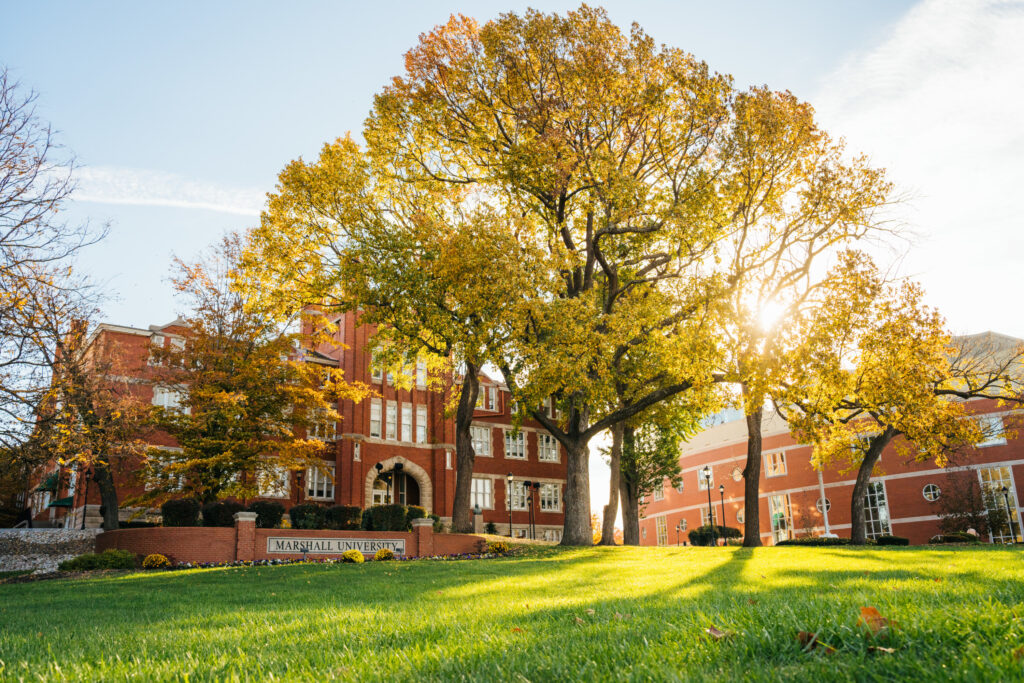



Marshall University is a public research university located in Huntington, West Virginia. Founded in 1837, the institution serves a diverse student population across undergraduate, graduate, and professional programs and is classified as an R2 doctoral university with high research activity. Marshall’s academic mission spans traditional liberal arts, health sciences, engineering, and applied research, shaping an instructional environment that must support a wide range of teaching and learning needs with limited resources.
The university’s primary campus occupies roughly 100 acres in an urban setting, with additional campuses and learning spaces distributed across the region. Unlike large, newly built campuses designed around uniform standards, Marshall’s classroom inventory reflects decades of incremental growth, renovation, and adaptation. We had the opportunity to sit down with Ryan Adkins from Marshall University to discuss how those realities shape the design, support, and long‑term sustainability of classroom technology across campus.
Role, Scope & Institutional Context
What groups or organizations are you and/or your team a part of (i.e. ETC, MCUAV, etc.)
None, really. We found HETMA a few years ago via InfoComm and we’re only able to spare a very small amount of time to engage with you guys at all. We’re incredibly grateful for the news, social events, and access to other AV professionals HETMA provides. We try to check in as often as possible to get the latest news and offer any advice we can from our own experiences to those looking for help.
Can you tell me about your role and your team’s scope within the university?
I’m essentially the manager of the classroom support team, recently reduced from four people to two. Our primary responsibility is providing immediate support to instructors in classrooms, troubleshooting both A/V and IT issues. We also handle support requests for conference rooms, digital signage, and a few larger event spaces that double as classrooms, though we rarely provide live event support. We do new equipment installs, replacements, and maintenance, as well as managing the PCs (OS, apps, configurations, the works).
How do you decide between in-house integration and external contractors?
Excellent question! In the last few years our team has done most of the integration work that wasn’t a brand-new building. We worked with Facilities and Operations to renovate 15 classrooms last summer with a team of three, and it was grueling, but we just had to remove all our equipment and then put it back in after the renovation was complete. We rely on integrators for more complex and large-scale projects, especially involving AVoIP.
How many classrooms and learning spaces are under your team’s responsibility?
Technically, my department “officially” supports the 66 classrooms that are part of the Technology-Enhanced Classroom Initiative (centrally funded spaces, open to anyone for use). If you take into account other rooms we maintain that don’t have their own dedicated support technicians, it’s about 125 classrooms across four campuses.
Do you also handle event spaces, sports venues, and conference rooms, or is that a separate department?
A handful of larger event spaces call on us for support as needed, and we are responsible for 43 conference rooms that include a variety of micro PCs and Microsoft Teams Room devices. No sports venues.
Is support for user devices (laptops, tablets, etc.) part of your team’s responsibilities or handled elsewhere?
Generally no; it depends on the need. We help troubleshoot in the room if they’re trying to start class or a meeting, but we direct them to the IT Service Desk if it’s not an immediate AV issue.
Classroom Technology Standards & Room Design
What does a “typical” classroom look like at your institution in terms of AV technology?
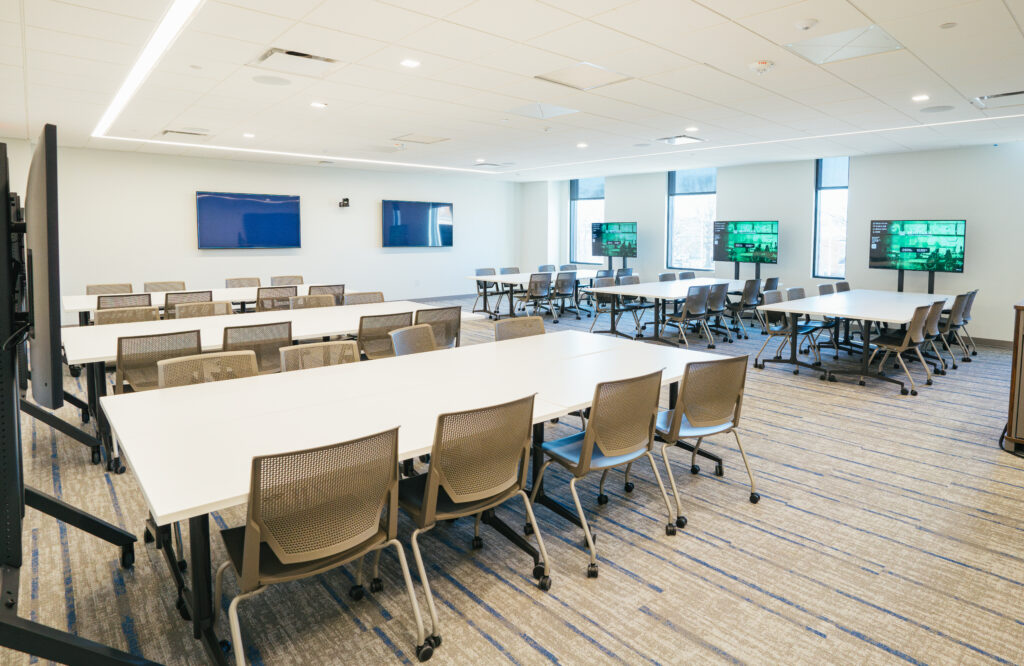
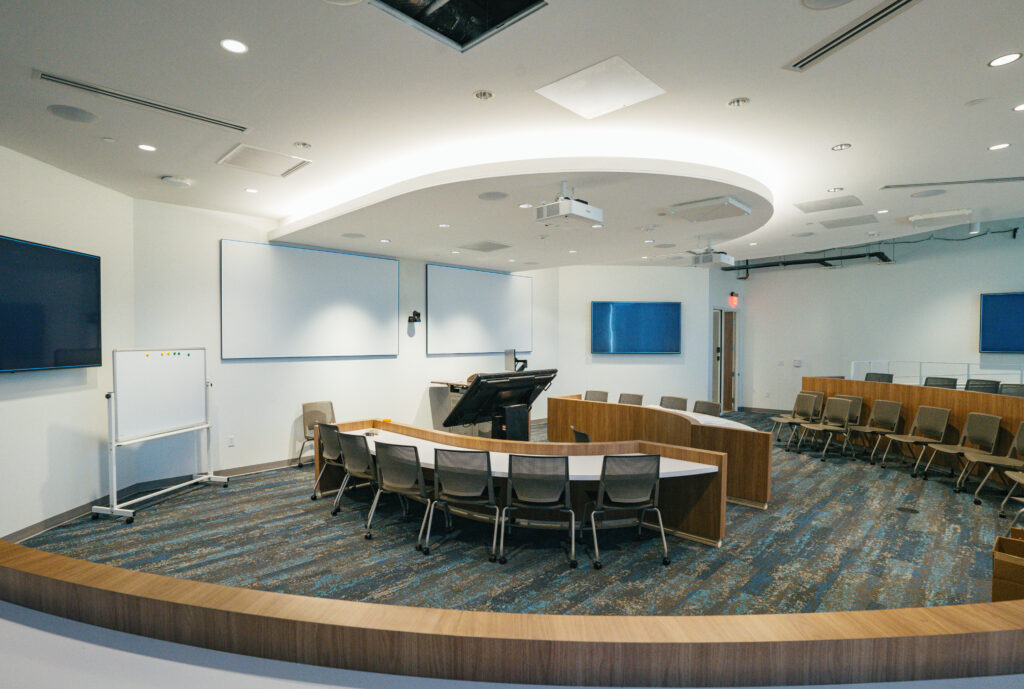
Generally, our rooms have an instructor lectern with a PC inside, running a standard software image, connected to either a laser projector or a pair of 70–80 inch displays using direct HDMI from a Kramer video switcher, or sometimes CAT extenders. Each room has some form of microphone and webcam for remote learning, though the specific devices vary depending on the age of the room. Typical software includes M365, Teams, Zoom, VLC, and a handful of other small apps, but many rooms have specialized software upon faculty request. Right now it’s about 50/50 whether the room will have laptop connectivity options; as we phase out old VGA infrastructure, we’ve simply omitted that feature in favor of joining a Teams meeting on the local PC to share content.
Are your classrooms standardized, or do you have multiple tiers of setups (e.g., basic vs. advanced)?
We definitely have different tiers of setups, but we don’t really identify them separately since the essential functionality is the same everywhere. Our oldest rooms have projectors and a PC, while relatively newer spaces have HDMI inputs for a laptop as well and typically use LED displays. The most recent rooms are equipped with special group-collaboration equipment (T1V ThinkHub/ViewHubs) and more modern AVoIP (local, isolated network only).
Do you allow environmental controls (lighting, shades, HVAC) through the classroom tech interface?
No, any environmental controls in our rooms are on the wall, maintained by Facilities & Operations.
Do you use single or multiple monitors at the lectern?
The vast majority of our rooms use a single monitor on the lectern, mirrored to the public displays.
Connectivity, BYOD & Instructional Experience
What’s your approach to device connectivity at the lectern?
Most older rooms no longer have laptop connectivity – we suggest instructors join a Teams meeting on the local PC and share their screen. Newer rooms typically have an HDMI plate on the lectern for laptops, and we expect users to provide their own cables and adapters.
Do you support BYOD, built-in computers, or both?
We try to be as accommodating as possible, within reason. I personally prefer a built-in computer I can ensure is up to date and stable and which automatically maps to their M365 accounts, storage, etc. However, we’re happy to work with those who prefer their own devices.
How do you incorporate faculty and staff input into classroom technology standards?
We have a shared governance body for both technology purchases and space allocation, through which IT and faculty can collectively make decisions about classroom tech.
How do you handle accessibility features (captioning, assistive listening, etc.)?
Like most institutions, we’re struggling there. Many of our faculty use Teams for remote students or to record their lectures, and we encourage them to use automatic transcriptions. We have a small number of faculty who use Panopto to record content, and it also provides captions. I know we have an office of student support with in-person options for accessibility, but I’m not familiar with their offerings. To my knowledge, we don’t use any assistive listening systems.
AV Architecture, Networks & Security
Where are you in your AV-over-IP journey?
In the rare spaces where we have AVoIP, it’s on an isolated network inside the lectern. Personally, I’m leaning away from AVoIP, as we have exponentially more support problems with those systems than traditional AV routing.
What AV signals are you sending over IP (audio, video, control)?
Audio, video, and control signals are all sent over the isolated networks in our AVoIP classrooms – a blend of Qsys and Visionary equipment distributes them.
Which protocols are most common in your environment (Dante, NDI, SDI, HDBaseT, etc.)?
I would say SDI and HDBaseT are more common than the others, although our Athletics cameras often use NDI (not my department, but I am aware of them).
Do you divide AV traffic into VLANs?
I believe our integrators segmented their internal switches with different VLANs, but my team is not familiar with their configuration.
How do you manage AV traffic with IT—any segmentation or security strategies?
Isolated networks, so no overlap with campus network infrastructure. The few cameras and microphones we have on the main network produce a negligible amount of traffic.
What AV security practices can you share?
Air gapping the equipment on an isolated, internal network is the most effective way we secure the AV side of the house. Equipment reachable on the main network has passwords stored in secure locations with limited access to specific teams.
Do you have policies for remote access or control of AV systems?
Nothing formal, as we have very few network-available systems.
Brands, Ecosystem & Purchasing Philosophy
Which brands do you rely on (Crestron, Q-SYS, Biamp, Extron, etc.)?
In our main classrooms, we rely heavily on Extron controls, Biamp Tesira DSPs, and Kramer video distribution systems.
How committed are you to those ecosystems?
We tend to stick to those brands because they’ve proven reliable well beyond their warranty periods. That being said, we’ll mix in whatever equipment we have on hand if something goes down, as long as the room functions.
What drives your decision-making—features, cost, support, or long-term strategy?
Cost, cost, cost, and reliability. If you get a call every day because something needs to be rebooted, I don’t want that in my classrooms — it’s not normal or sustainable. Instructors fight every new feature we offer, so reliability, predictability, and ease of use run a close second behind cost as the deciding factor in most of our purchases.
Lecture Capture & Learning Delivery
What lecture capture solution(s) do you use?
Primarily Microsoft Teams, with a small portion using Panopto (and soon we’re switching that to Echo360).
How widespread is lecture capture across your campus?
Lecture capture, while not uncommon, is not in high demand. Live (synchronous) class meetings are more common than lectures recorded and posted later, though most faculty teaching live with remote participants will record with Teams.
Is it automated, scheduled, or instructor-controlled?
Instructor-controlled, unless they schedule their Teams meeting to automatically start.
Monitoring, Data & Feedback Loops
What monitoring platforms do you use for AV systems?
None. We had three spaces connected to an old Extron GVE server at one point, but we’re down to one, and that server is likely to be retired soon.
Do you collect data from ticketing systems, monitoring tools, or end-user surveys?
We have a general IT survey go out annually, a part of which focuses on classrooms and academic technology. We discuss the statistical trends and read through every comment for consideration in our goals for the coming year.
Do you track classroom technology usage analytics?
Not really, no. We used to track PC logins, especially in the computer labs, but generally speaking the numbers were pretty solid across the board; people who asked for TECI classrooms tended to use the PC. Beyond that, we don’t have much reason to track specific equipment use due to the simplicity of our room design.
Support Model, Staffing & Training
How is your AV support team organized?
Generally centralized; we used to have a team of four, divided between two PC/IT technicians and two more specialized AV technicians. Now we are down to a manager and one technician who handle everything together, with occasional support by request from the IT Systems Administration team (this is a new relationship we have not yet tested).
Do you have tiered support levels (e.g., Level 1, Level 2)?
In a way, but not formally. Our technician handles incoming phone calls, while the manager acts as Tier 2, covering the phone as necessary.
What ticketing system do you use?
Salesforce, which is the ticketing system for the University at large.
How do users request help during class?
We have an on-call cell phone my team carries from 7am to 4pm Monday–Friday, and the number is posted on laminated signs on the classroom doors and lecterns, as well as pictured on the desktop wallpaper of the PC.
How many full-time staff (FTE) do you have versus student workers?
One manager, one technician, no student workers.
What training do you provide for new staff?
Informal. We take them around to available classrooms for a thorough orientation, but after that it’s very much a hands-on, sink-or-swim, follow me and let me show you how to do this sort of thing. One technician referred to it as “baptism by fire,” and I rather enjoyed that characterization.
Conference Rooms & Special Spaces
What does a typical conference room look like at your institution?
70–80 inch wall-mounted display with either a micro PC mounted behind it or some form of MTR (Microsoft Teams Room device). Camera and mic models vary, but we’ve had pretty good luck with Logitech Meetups for small- to mid-sized spaces.
Do VIP or executive spaces differ significantly from standard rooms?
Not terribly significantly, but somewhat. For example, our president insists on a webcam mounted directly in front of his large display, so he’s looking directly into it (which is amazing, and we love him for it). Generally speaking, though, most of the hardware is the same as typical conference rooms.
Digital Signage
Is digital signage under your team’s responsibility or another department?
It’s something I handle myself.
What platform do you use for signage?
Primarily, we use Wallboard. Sometimes we just replace the Windows shell with a webpage in kiosk mode and a touchscreen, but those are rare.
How integrated is signage with your AV ecosystem?
Not at all, but our signage is pretty simple to set up and use, so integration doesn’t seem like a worthwhile investment.
Budget, Sustainability & Future Direction
What is your annual budget for classroom technology?
We don’t have what most people consider a regular annual budget. Our program started out as a special project from the President’s office, with $1 million per year for technology and furniture to transform outdated classrooms. The second year of the program saw that cut in half, and then halved again the following year, until eventually we landed on a “break-fix” budget each year. We sometimes get a few thousand dollars to plan with at the start of a year, but that rapidly evaporates as funds are reallocated to other projects or cut to meet budget goals. Our last significant expenditure on main-campus classrooms was in 2013.
What trends or technologies are you planning to adopt in the next 2–3 years?
I’m hoping to get funding to replace aging equipment before adopting anything new and shiny. Our first priority will probably be to get some USB-over-CAT extenders so we can mount webcams at the back of the classrooms to better simulate sitting in the room, as opposed to just mounting them on top of the lectern monitor. At some point, I’d love to get laptop connectivity plates with USB-C connections in addition to HDMI, but that is at the absolute bottom of our priority list.
How do you approach sustainability in AV (refresh cycles, power management, e-waste)?
Funding doesn’t allow for refresh cycles, really; we just do the best we can and hope that things don’t fail. Anytime a classroom or conference room is dismantled, we salvage anything we can for spare parts and keep as many backup units as possible in storage. We do have a program for e-waste management, although we’re in the process of refining it. Some stuff gets processed out of inventory if it has a certain tag on it, while general cables and electronics get tossed in a bin and shipped off to be recycled.
What’s your biggest challenge right now in classroom technology?
Our biggest challenge is having absolutely no money for anything, followed closely by a lack of personnel. If you have enough money to pay an integrator to do the leg work for you, that helps tremendously with the personnel issue, but I’m afraid those halcyon days are long gone. Tied in with the personnel issue is also a lack of time; with two people and over a hundred individual spaces across multiple campuses, there’s precious little time for experimenting, for testing new equipment, or sometimes even for eating. While not an everyday occurrence, it’s not uncommon for me to spend eight hours on my feet, never getting a chance to sit at my desk and focus on the more IT-focused side of things.