


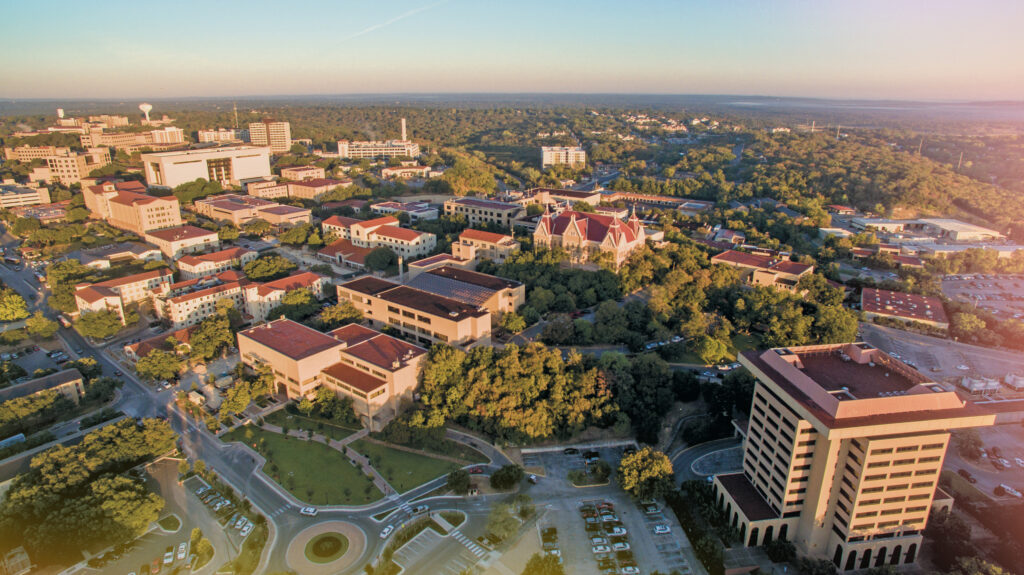
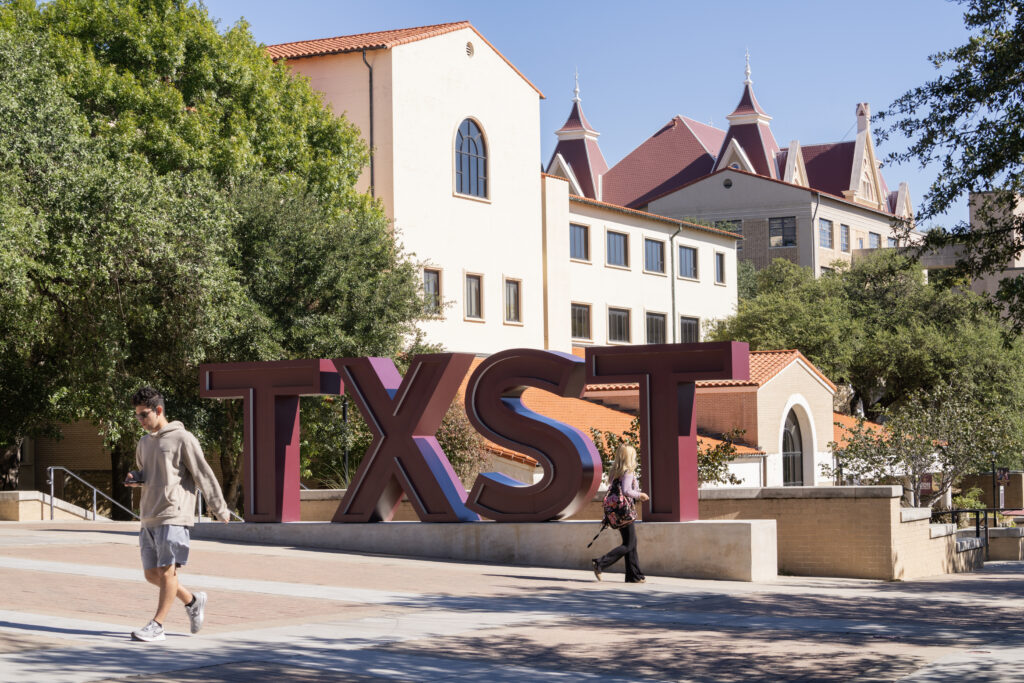
Founded in 1899, Texas State University serves more than 47,000 students and has grown into one of the largest universities in Texas. The university is also the only institution in the state to have graduated a U.S. president, Lyndon B. Johnson, and in 2026 officially joined the Pac-12 Conference.
With the HETMA Texas Roadshow coming to Texas State University on Feb. 26, 2027, we spoke with Atkins Fleming, Associate Director of Learning Spaces, to learn more about the technology supporting classrooms across campus. Fleming shared how his team approaches classroom standards, AV-over-IP, accessibility, monitoring and analytics, in-house integration, support, and the challenges shaping the next generation of learning spaces at Texas State.
What groups or organizations are you and/or your team a part of (i.e. ETC, MCUAV, etc.)
Educational Technology Collaborative (ETC), AVIXA Elite, and Association for Quality in Audiovisual Technology (AQAV).
Can you tell me about your role and your team’s scope within the university?
Our department is called Learning Spaces, and we’re responsible for presentation technology support in campus learning spaces. Our broader responsibilities include AV support across campus, and we serve as an in-house integrator for campus needs.
How many classrooms and learning spaces are under your team’s responsibility?
Technically, 315. The full number of classrooms and labs across campus is closer to 550.
Do you also handle event spaces, sports venues, and conference rooms, or is that a separate department?
We handle conference rooms and digital signage, as well as most campus construction projects, but we do not directly support athletics, performing arts, or event venues.
Is support for user devices (laptops, tablets, etc.) part of your team’s responsibilities or handled elsewhere?
We support classroom PC hardware and refreshes, but other teams within IT handle PC management, software, and user devices.
What does a “typical” classroom look like at your institution in terms of AV technology?
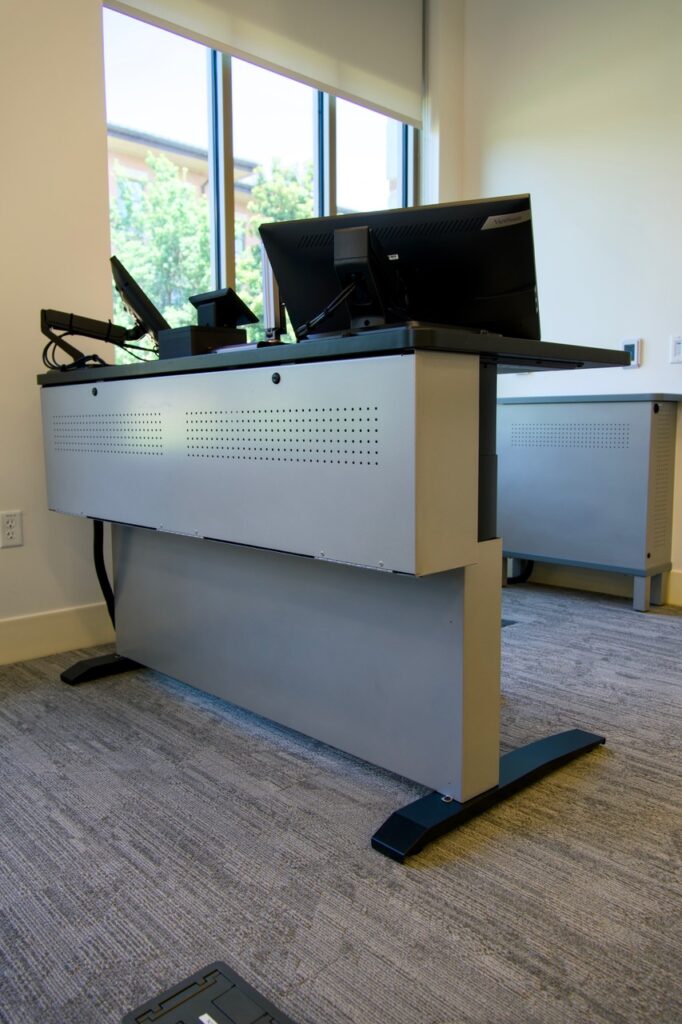
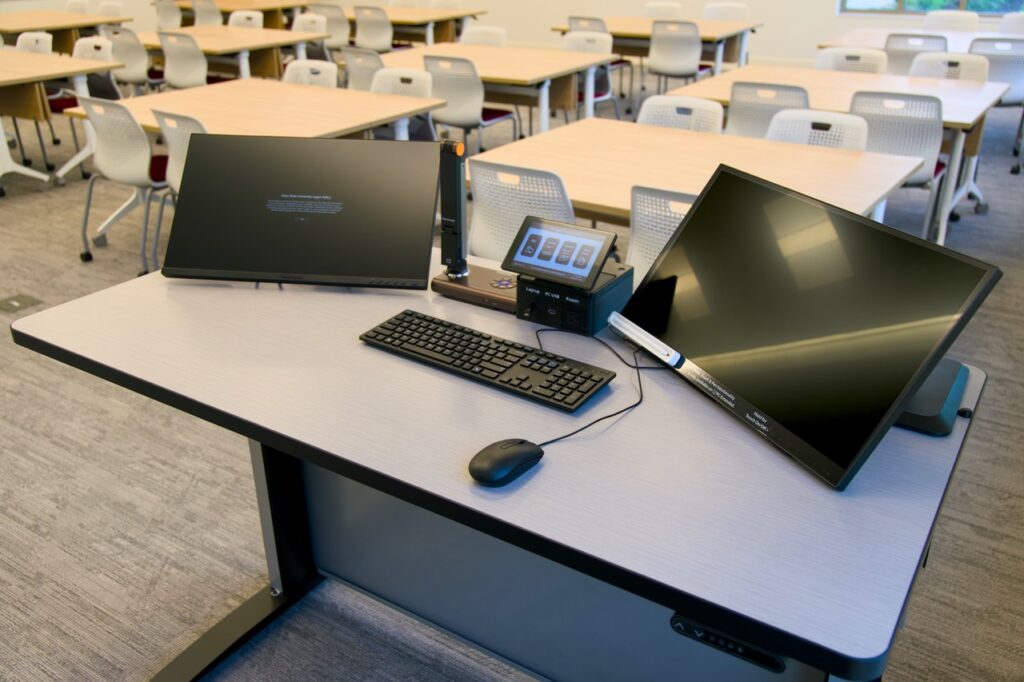
I’ll speak to our latest standard, first deployed this summer. We provide a height-adjustable table with two monitors, one of which is pen-capable, along with a document camera, USB-C connectivity with charging, wireless presentation via Ditto, and a 7-inch touchpanel. Rooms have either one or two projectors with motorized screens and ceiling speakers. Some rooms are also equipped with Catchbox wireless microphones, a ceiling microphone, and front and rear cameras.
Are your classrooms standardized, or do you have multiple tiers of setups (e.g., basic vs. advanced)?
We have standards with built-in options and try to manage a single code base, or template, per generation. We currently have four generations of technology packages deployed, and only our latest, Gen5, is tiered. We use the terms “Standard” and “Advanced,” with Advanced rooms receiving full video conferencing capability.
Do you allow environmental controls (lighting, shades, HVAC) through the classroom tech interface?
No.
Do you use single or multiple monitors at the lectern?
Our oldest three generations of classrooms use a single monitor. The newest generation uses dual monitors. We allow users to choose their adventure: by default, the left monitor is private and only visible to the instructor, while the right monitor mirrors what is shown on the projector. In rooms with two projectors, users can opt into a left/right extended desktop mode if they need to show two separate pieces of content simultaneously.
What’s your approach to device connectivity at the lectern?
Our oldest three generations of classrooms have HDMI only. The newest generation standard includes USB-C and wireless presentation. We removed HDMI from this standard.
Do you support BYOD, built-in computers, or both?
Both.
How do you incorporate faculty and staff input into classroom technology standards?
We have a Faculty Advisory Board for classroom technology and worked closely with them to develop our newest standard, from requirements gathering and design prototyping through UCI development and the finished product. The board includes members from colleges across the university.
How do you handle accessibility features (captioning, assistive listening, etc.)?
Captioning is handled by the user, typically by using the room PC and a USB or room microphone to feed a service such as Zoom, Teams, or YouTube.
Assistive listening is something we standardized with our latest generation of classrooms using Auracast transmitters. We have also used height-adjustable lecterns for around nine years, so we’re nearly at full coverage in classrooms.
A tactile interface for the touchpanel is also on the development roadmap for our latest generation of classrooms.
Where are you in your AV-over-IP journey?
Only our latest generation of technology uses AV-over-IP, which is currently deployed in about 30 rooms. We use an isolated, or “island,” network topology, with remote access to the system through the room processor’s dual-NIC interface.
What AV signals are you sending over IP?
Audio, video, and control.
Which protocols are most common in your environment?
Dante, SDI, and HDBaseT.
Do you divide AV traffic into VLANs?
Historically, all AV traffic has been on a single VLAN. This predates AV-over-IP and is part of the converged network managed by the network team. In our latest generation, we manage the VLAN on the isolated switch, but all AV traffic is still on the same VLAN.
How do you manage AV traffic with IT—any segmentation or security strategies?
We use a single non-routable VLAN for AV. This is a non-DHCP environment, so our team manages static device IP addresses and is fairly independent in our daily operations.
What AV security practices can you share?
We use authentication with complex passwords and encryption where possible.
Do you have policies for remote access or control of AV systems?
Because our AV systems are on a non-routable VLAN, users must be on campus or connected through the VPN with the appropriate credentials to access devices.
Which brands do you rely on (Crestron, Q-SYS, Biamp, Extron, etc.)?
Historically, we have used Extron with Biamp for audio. Our latest generation uses Q-SYS.
How committed are you to those ecosystems?
We’re comfortable using multiple brands for endpoints, but we prefer to stay within one brand for control. Since we’re in the middle of a migration, we’ll be supporting two control platforms for many years to come.
What drives your decision-making—features, cost, support, or long-term strategy?
Features and long-term strategy come first.
What lecture capture solution(s) do you use?
Our video content management system is YuJa. There is a lightweight recording app on classroom computers if someone wants to use it, but it is rarely used. We effectively do not have a lecture capture service, even though recording is possible.
Is it automated, scheduled, or instructor-controlled?
Lecture capture is instructor-controlled using software applications.
What monitoring platforms do you use for AV systems?
We use Extron GVE, Q-SYS Reflect, and Grafana Cloud.
Do you collect data from ticketing systems, monitoring tools, or end-user surveys?
Yes, we have data from all of these sources. We’re currently working on AI-based agents to compile and analyze data across disparate sources.
That data will help drive control system programming and development, the creation of tools for proactive and remote support, support desk staffing, refresh priorities, and other decisions.
Do you track classroom technology usage analytics?
Yes, we track classroom technology usage analytics in our latest generation standard.
How is your AV support team organized?
Our AV support team is centralized around two core functional areas: support and projects.
Do you have tiered support levels (e.g., Level 1, Level 2)?
Yes, in two ways. The central campus help desk and call center serve as Tier 1 support, while our department serves as Tier 2. We also have technician positions classified as Level 1, Level 2, and so on.
What ticketing system do you use?
We use TDX.
How do users request help during class?
Users request help through our central help desk by phone, email, or live chat. Classroom phones are not provided.
How many full-time staff (FTE) do you have versus student workers?
We have 15 full-time employees across the department, including leadership, along with around 12 student workers.

What training do you provide for new staff?
All technicians must have CTS and CompTIA A+ certifications, so we provide training resources and cover exam fees for both. We also provide manufacturer-specific training for our standard products and have a professional development program for regular staff training on other topics.
What display technology dominates your classrooms—projectors, flat panels, dvLED?
Projectors remain the dominant display technology in our classrooms.
Are you moving toward dvLED or sticking with projection for large spaces?
We just installed our first dvLED display in a classroom environment this summer. It is in a 400-seat lecture hall and measures 270 inches.
Do you still deploy Blu-ray/DVD players or other legacy media?
No.
What do you use for slide advancing—hardware clickers, software tools?
We don’t provide a dedicated slide-advancing device, but we make sure instructors have access to a USB port so they can use their own.
What does a typical conference room look like at your institution?
A typical conference room has one large display with an installed PC. Small rooms get a video bar, while larger rooms get a ceiling microphone and ceiling speakers. If a control interface is needed, it may be a simple button panel on the wall or a touchpanel on the table, depending on room complexity and budget.
Do VIP or executive spaces differ significantly from standard rooms?
Yes, we have an “executive” level standard with all the bells and whistles.
How do you decide between in-house integration and external contractors?
It’s almost always in-house unless we don’t want to take on a project or don’t have the skills or expertise to do so. We handle about 98% of AV-related projects in-house.
Is digital signage under your team’s responsibility or another department?
Digital signage is shared across multiple groups within IT, but our team handles the hardware component, so we tend to manage the overall project cycle and serve as the first tier of support.
What platform do you use for signage?
We use OnSign.
How integrated is signage with your AV ecosystem?
It is its own ecosystem. While it is centralized, cloud-based, and supportable, it does not directly interface with the rest of our AV ecosystem.
What is your annual budget for classroom technology?
For the last two years, our annual classroom technology budget has been around $700,000. Based on our number of spaces, desired refresh cycle, and technology capabilities, that number should be about $1.8 million.
What trends or technologies are you planning to adopt in the next 2–3 years?
Likely some form of AI capabilities. I’m not currently focused on any specific hardware trends beyond those we’re already involved with.
How do you approach sustainability in AV (refresh cycles, power management, e-waste)?
We’re trying but facing obstacles at every turn. We have a planned refresh cycle with a budget forecast but haven’t been given the appropriate funding to support it. We have power management capabilities in all of our rooms but don’t currently use them. We are also trying to find ways to recycle more e-waste, but university and state policies make that challenging.
What’s your biggest challenge right now in classroom technology?
Skill set demands are shifting from traditional AV skills toward programming and networking. Our team is not yet fully prepared for that shift, and those skill sets often command higher salaries than we’re able to offer.
Another challenge is the move to the cloud and the growing need for data. Much of the AV hardware we use is not capable of meeting current demands, and existing cloud-based systems can be cost-prohibitive. We’re exploring the possibility of creating more of our own platforms.

Want to see Texas State University’s learning spaces for yourself? Join HETMA at Texas State in San Marcos on Feb. 26, 2027, for the HETMA Texas Roadshow. The day will bring higher ed technology professionals together for a Professional AV Technology Showcase, guided campus technology tour, and education session focused on the technology, people, and ideas shaping higher education. Breakfast and lunch will be provided, with an off-site happy hour following the Roadshow. Register for the HETMA Texas Roadshow at Texas State University.