
We are excited to introduce a new series at Higher Ed AV Media, focusing on the Campus Spotlight of the Month. Unlike previous features centered on managers, this series highlights the technology itself. To kick things off, we are shining the spotlight on my own institution—Creighton University, with the main campus located in Omaha, Nebraska.
About Creighton University

Creighton University serves approximately 10,000 students, with an even distribution between undergraduate and graduate populations. The main campus is situated in Omaha, with an additional building in Phoenix, Arizona, and a smaller presence in the Dominican Republic. Among its graduate offerings, Creighton is home to several well-regarded professional schools, including the School of Medicine, School of Law, School of Pharmacy and Health Professions, School of Dentistry, and the Heider College of Business. The university also offers graduate programs in nursing, physical therapy, occupational therapy, and other health sciences. Let’s take a closer look at the technology supporting our academic spaces and how these systems are managed.
Control Systems and Programming
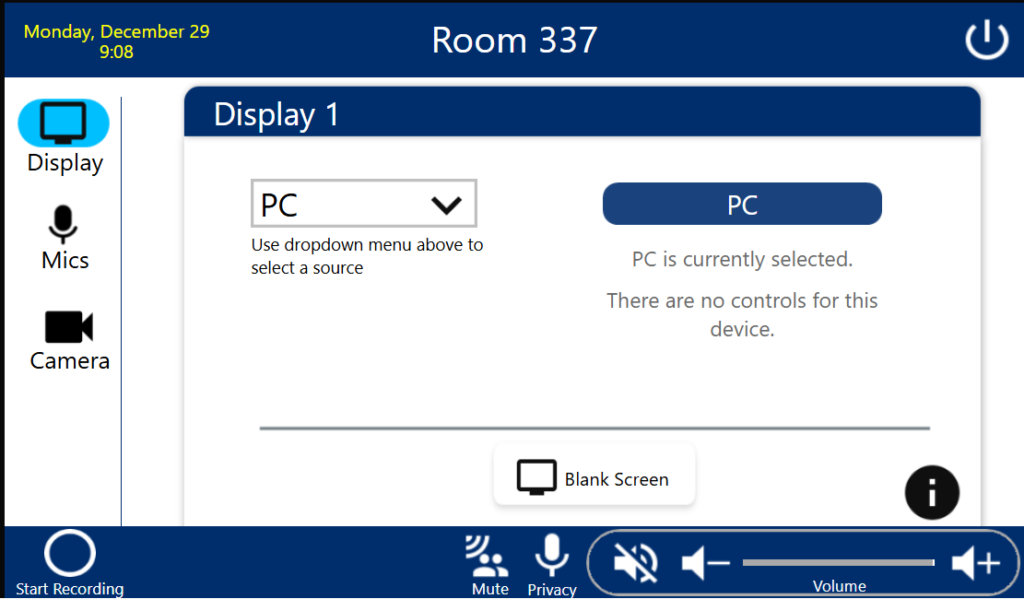
The backbone of Creighton’s classroom technology is Extron control systems. Our standard classrooms utilize Extron control processors paired with Extron touch panels. While most spaces have transitioned to touch panels, some still use Extron MLC button panels as the primary control interface. In collaborative environments we have a mix of touch panels, MLCs and NBPs as the local controllers. The most technologically advanced spaces on campus—about one-third of all spaces—leverage Global Scripter and Python programming for control. The remaining spaces rely on GCP for programming needs. Of course, control systems are just one part of the broader AV ecosystem.
Lecture Capture and Recording Management
Lecture capture has become a standard feature across nearly all classrooms, though the deployment is still in progress for some spaces. The Extron SMP 350 series is the current standard for lecture capture, supplemented by some legacy Seneca and PC-based recorders. Panopto is used campuswide to manage recorded content. Effective lecture capture requires integration of both video and audio sources.
Audio and Video Input Solutions
Most classrooms are equipped with Shure MXA ceiling microphones, including various models such as the 910s, 920s, and bar-shaped microphones. Additionally, each classroom typically provides wireless microphone options, with a lavalier and/or handheld units. PTZ cameras are standard, with at least one camera positioned at the back of each room and many rooms featuring a second, student-facing camera at the front. These cameras connect via a mix of SDI, USB, and HDMI interfaces to encoders.
Video Distribution and Remote Management
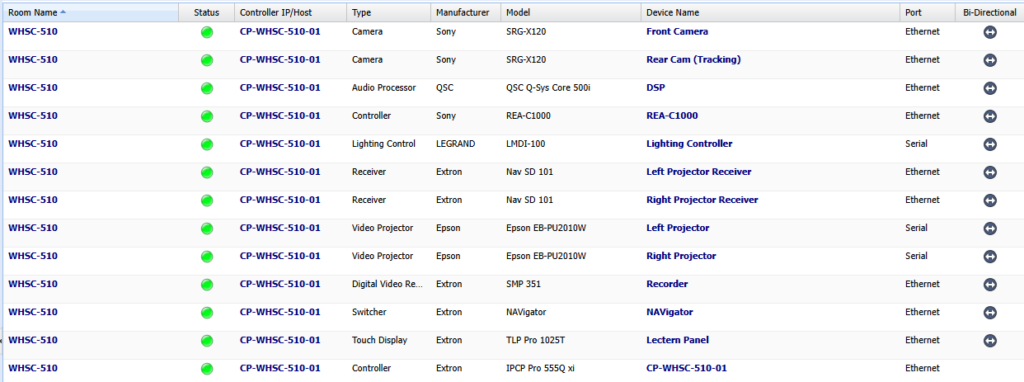
In the most advanced classrooms, video distribution relies heavily on AVOIP. The campus has a few spaces with AMX encoders and decoders, but the current standard is the Extron NAV systems, with a Navigator per floor. This approach greatly improves remote visibility and allows for detailed tracking of video signal flows. Campuswide GVE tracking further enhances remote monitoring of controllers and connected devices.
Displays and Collaborative Spaces
Projectors remain the primary display technology in traditional classrooms, while panel displays are more common in break-out and collaborative areas. In these collaborative spaces, panel displays are the standard solution for group work and interactive activities. We have a small number of smart boards.
Audio Networking and Processing
Creighton relies extensively on Dante for audio transport and remote visibility. While Dante Domain Manager (DDM) is in place, work continues to fully implement its capabilities. Most audio networking uses converged systems, including QSYS cores as the primary audio DSPs. Nearly all classrooms and select conference rooms are equipped with QSYS DSPs, but some rooms still feature Shure P300 processors and older Biamp units. We utilize QSYS Reflect to help monitor the QSYS systems. Collaborative spaces may use more basic processing solutions, such as Cisco Room kits or Bose VB1 devices.
Accessibility Initiatives
The university continues to explore and expand accessibility options in classrooms. Many spaces are equipped with Listen systems and personal receivers for assisted listening, though the team recognizes this is not a perfect solution and is actively seeking improvements. Captioning is provided for Panopto recordings, and efforts are underway to ensure digital materials meet WCAG accessibility standards.
Support and Operations
Classroom AV technology is maintained by the Learning Environments team, which also oversees the campus digital signage system via Poppulo. While the team does not support sporting spaces, they do handle event spaces during regular hours. Support for lectern computers is provided, but the team does not cover lab computers. Each classroom is equipped with a lectern PC and supports both cabled and wireless BYOD connections, including HDMI with USB-C adapters, and Screenbeam or Solstice Pod options. Peripheral support—such as document cameras, Blu-ray players, and slide advancing clickers—varies by location, as does the availability of touchscreen monitors. Recent standards emphasize the use of Heckler lecterns and managed switches in the lectern for robust data connections.
Team Structure and Support Coverage
The Learning Environments in Omaha team consists of six full-time staff members, providing coverage from 7:30 AM to 7:30 PM on weekdays. Staff are distributed across campus to ensure efficient response, and all main campus locations are within walking distance. The team also supports select off-site locations, including hospitals and clinics. Most support requests are initiated via classroom phones, but issues can also be reported by email or identified through routine checks and monitoring alerts. We utilize TeamDynamix for ticketing.
Installation and Skill Development
External integrators are primarily responsible for AV installations, while the Learning Environments team handles most support and maintenance in-house. The team continues to develop their skills, although some complex programming tasks—such as advanced Python, and older AMX or Biamp systems—remain challenging. Ongoing learning and professional growth are priorities for the team.
Network Design and Traffic Management
Creighton standardizes on Cisco switches. Our ideal network design incorporates a user VLAN for non-AV devices in the classroom and multiple VLANs for AV equipment. For example, in the Werner building, three separate VLANs manage audio, video, and control traffic, segmenting multicast streams for stability. Clock leaders are micromanaged to ensure reliable layer 2 network performance. While this is the ideal, we have not implemented that design as a standard yet. Other than the Werner building, we utilize a single AV VLAN for our technology, typically one per building.
Conclusion
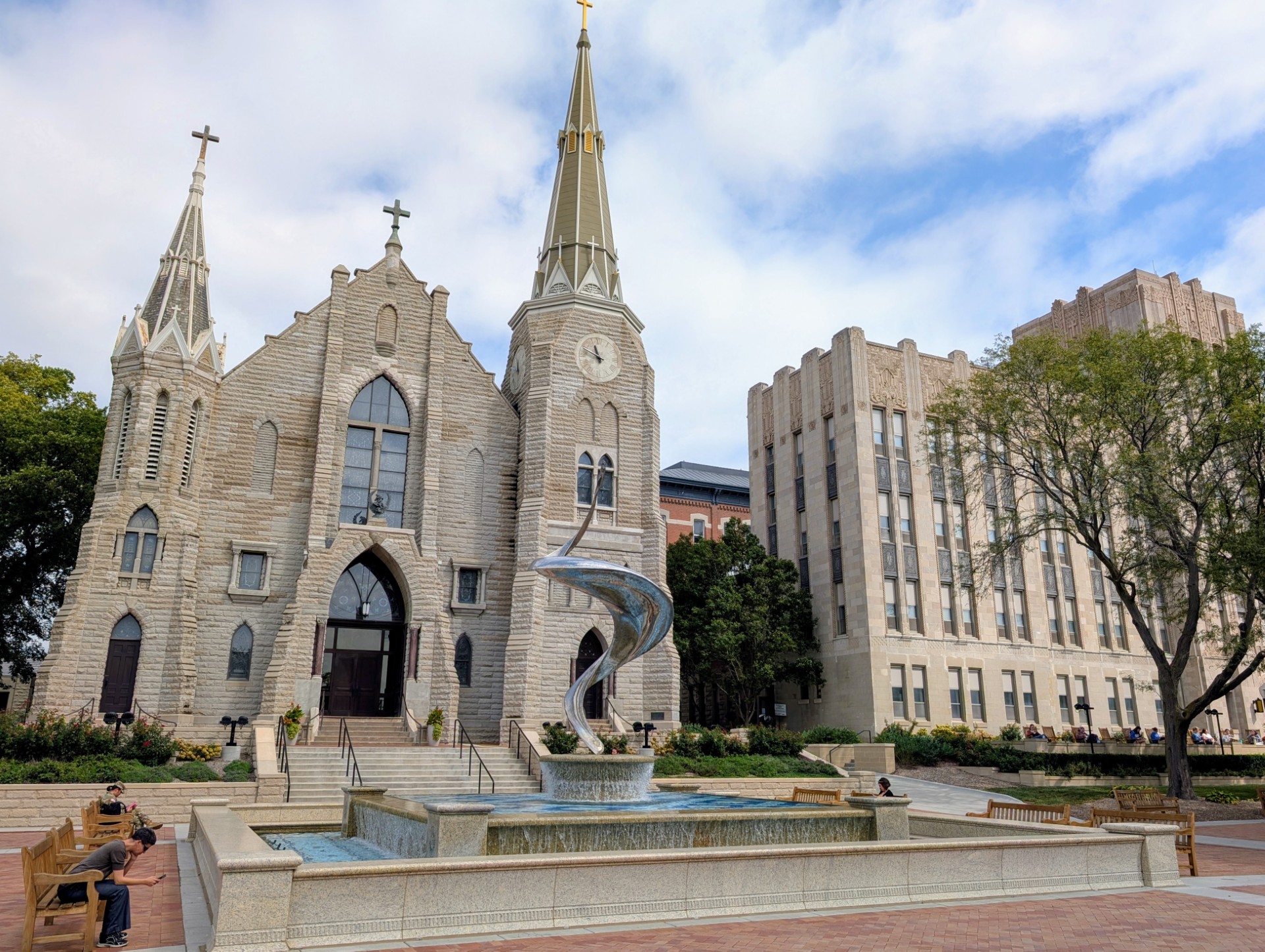
Creighton University is proud to be ahead of the curve among similarly sized institutions in AVOIP adoption and overall AV technology. Standardization on lecture capture and flexible signal routing across campus are key points of pride. The Learning Environments team, as part of an outstanding IT department, positions Creighton at the forefront of campus technology as we begin this new series for January 2026.